Features
One system. The whole venue.
28 things QBar does today, from the guest's menu to the manager's report, grouped by who uses them.
Menu and ordering at the table
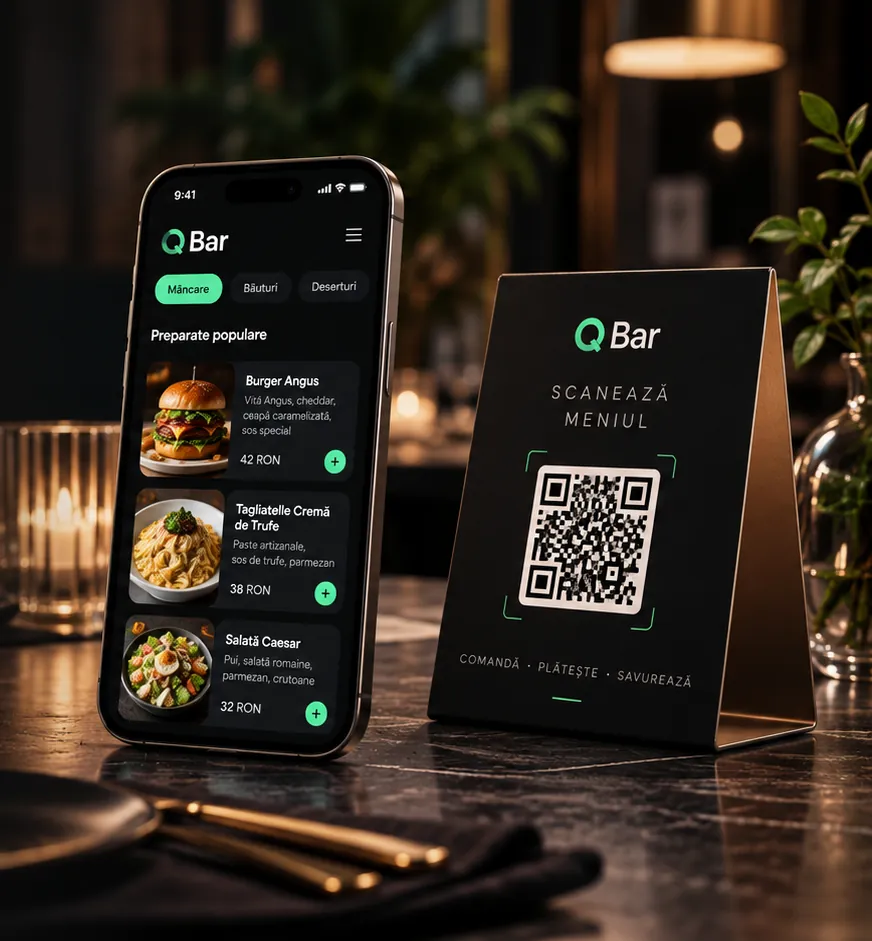
The guest scans the code on the table and orders from the browser: no app, no account.
A digital menu with photos
Clear categories, photos, descriptions and prices, in Romanian and English.
Allergens on every product
The guest sees at a glance what a dish contains.
Options, extras and notes
The side chosen, priced extras and “no onion” for the kitchen.
Follow the order
Sent, preparing, ready: the guest sees the stage without asking.
Call the waiter, ask for the bill
Two taps, and the waiter gets the request on their phone.
Prices worked out by the server
The total cannot be changed from the phone: QBar works it out.
Payments and tips
The guest chooses how to pay the table's bill. The money goes straight to the venue's account.
Apple Pay and Google Pay
Pay with one tap from the phone's wallet.
Online card through Stripe
Connect your own Stripe account in the app; QBar adds no commission.
Cash or card with the waiter
The waiter takes payment at the table and closes the bill in the app.
Optional tipsPro
Percentages or an amount of their own, with no pressure on the guest.
The waiter app
A web app on the phone that installs on the home screen and shows only the waiter's own tables.
My tables
Each waiter sees their assigned tables, not their colleagues'.
Orders and requests in real time
A new order, a call from the table and a bill request appear at once.
Ready to serve
Knows when the kitchen or bar is done, so there are no wasted trips.
Payment at the table
Closes the bill with cash or card straight from the phone.
Kitchen and bar
Each station gets only what it has to prepare, on a tablet upright or on its side.
Orders split by station
The pizza to the kitchen, the cocktails to the bar, from the same order.
New, in progress, ready
Three taps take a ticket from arrival to hand-over.
Sound and full screen
A chime for a new ticket and a distraction-free mode for the pass.
Carries on after a dropout
The screen says when the connection dropped and recovers its tickets when it returns.
The manager's panel
Everything happening in the venue on one screen, from a phone or a laptop.
Live orders and the table map
Tables taken and free, requests waiting.
Menu, products and stations
Edit prices, photos, allergens and each product's station.
QR codes and table signs
Generate a code for each table and print a sign ready for the table.
Hours, minimum order, closed message
Control when orders are accepted and what guests see when they are not.
The look of your menu
Logo, colours, corners and font, with a preview, for the menu on guests' phones.
Reports and service summaryPro
Takings, orders and best sellers at the end of service.
Several venues and a team
From a food truck to a restaurant group, with the right access for each person.
Up to 10 venues in one accountBusiness
Each venue has its own menu, tables and team.
Roles and invitations
Owner, manager, waiter, kitchen: each sees only what they need.
QR access for the team
Waiters and cooks scan a code, then sign in with their own account.
Priority supportBusiness
A faster answer to reports sent from the app.
What is next
Integration with your POS, fiscal cash registers and an API for your own systems are planned. We say openly what is ready and what is coming.
Put QBar on the first table.
Set up your venue, add the menu and test the QBar experience. 14 days free, no card needed.
- No app for guests
- RO + EN
- Ready for several venues